
Like WordAvailable
EmiText
Word processor
Opens and saves .docx, .odt and RTF. Spell checker, tables, images and much more. Free and in your browser.
Meet, chat and work as a team, just like Teams
Group video calls, chats and teams with channels, screen sharing and a calendar with .ics invitations. Free, in your browser.
I’m EmiTin, I can make group video calls just like Teams!
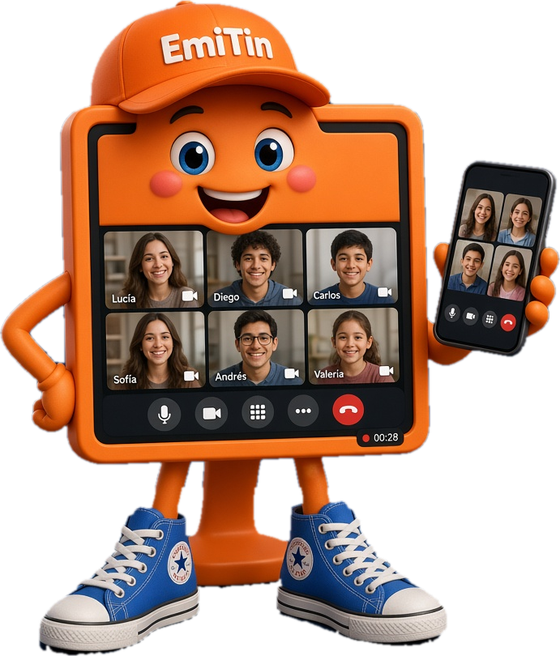
EmiTin is the family’s meetings and teamwork program, and it runs in your browser. It has group video calls with screen sharing, a whiteboard, live captions, a waiting room and recording; chats and teams with channels, replies, reactions and files; and a calendar with .ics invitations that Teams, Outlook and Google Calendar understand. It asks for no sign-up: you join with a link. It speaks your language: the interface and the talking mascot switch automatically.
Talk with up to 30 people at once, with camera and microphone, from your phone or computer.
Show your screen, a window or a tab, and draw together on a shared whiteboard.
Chat in conversations and in teams with channels, with replies, reactions, mentions and files.
Create a meeting and share it with a link or a code: whoever joins needs no account.
Waiting room, mute everyone, remove someone, lock the meeting and an attendance report.
Live captions, a transcript in .vtt or .srt, and a recording of the meeting on your computer.
Schedule meetings, get reminders, and open or send .ics invitations from Teams, Outlook, Google Calendar and Zoom.
Open shared Word, Excel and PowerPoint documents with EmiText, EmiSum and EmiPo.
Works in Spanish, English, Portuguese, French, German, Italian and Arabic, with a talking mascot.
Audio and video go directly between browsers, with no accounts; install it as its own app.

Formats EmiTin can open and save
Choose how you want to use EmiTin
Nothing to install. Open EmiTin and get going in seconds.
Install it as its own app: open it from your desktop and use it offline.
You would make us very happy with a donation for using our products. It motivates us to keep creating for the community.
Tell us how EmiTin worked for you. Your opinion helps others choose.
No ratings yet. Be the first to rate EmiTin!
No comments yet. Write the first one!
Yes. EmiTin is free for everyone, with no trial version and no time limits. It's funded by the ads in the right-hand side column.
No. Just open EmiTin and start using it; we don't ask for sign-up or an email address.
No. Your files open and save on your own device; EmiTin doesn't send them to any server.
Yes. If you install it from Chrome or Edge, it becomes a regular app and keeps working without internet after the first load.
Yes. EmiTin opens and saves the most common formats (.ics .emitin), so you can send and receive files from Teams and other apps.
Right now EmiTin is available in: Español, English, Português, Français, Deutsch, Italiano, العربية. More languages are on the way.
No: those programs use closed protocols. EmiTin runs meetings between EmiTin users, but it opens and creates .ics invitations and recognizes Teams, Zoom and Meet links so you can open them on their own site.
No. You just type your name. Anyone who gets the link to a meeting, a chat or a team joins right away.
Up to 30. Video goes directly between browsers, so meetings of hundreds of people would need a video server, which EmiTin does not include yet. Each session lasts at most 180 minutes (3 hours): when it ends it closes for everyone and you can start another.
Audio and video do not go through the server. Messages and files are stored on it so everyone can see them, without end-to-end encryption.
Word processor
Opens and saves .docx, .odt and RTF. Spell checker, tables, images and much more. Free and in your browser.
Spreadsheet
Formulas, charts, tables and filters for your numbers. Opens and saves .xlsx, .ods and .csv. Free and in your browser.